
Webinar banners
One webinar, four screens: the hero on the webinar page, the registration banner that travels with every share link, the title slide on screen while people join, and the header on the invitation email. Each comes in Minimal, Accent, and Bold. All four use the same headline, the same date line, and the same call to action.
Webinar page hero · 1920 × 600
The full-width banner at the top of the webinar page. Outer 240px crop away on narrow screens; keep copy in the centre 1440px. Turn on guides to see the hatched crop bands. Only the photo may run into them.

Wills, trusts, and what your family needs.
A 45-minute plain-language session with a Pierce estate planning attorney, followed by open questions.
Live on Zoom
Quiet and correspondence-grade. Paper does the work; the brand is a signature, not a statement. Ivory, navy type, and one gold hairline between the promise and the date.

Wills, trusts, and what your family needs.
Recognizably Pierce at arm’s length. A navy or gold band frames ivory content. A photo on the right and a navy band that carries the date and the button.

Wills, trusts, and what your family needs.
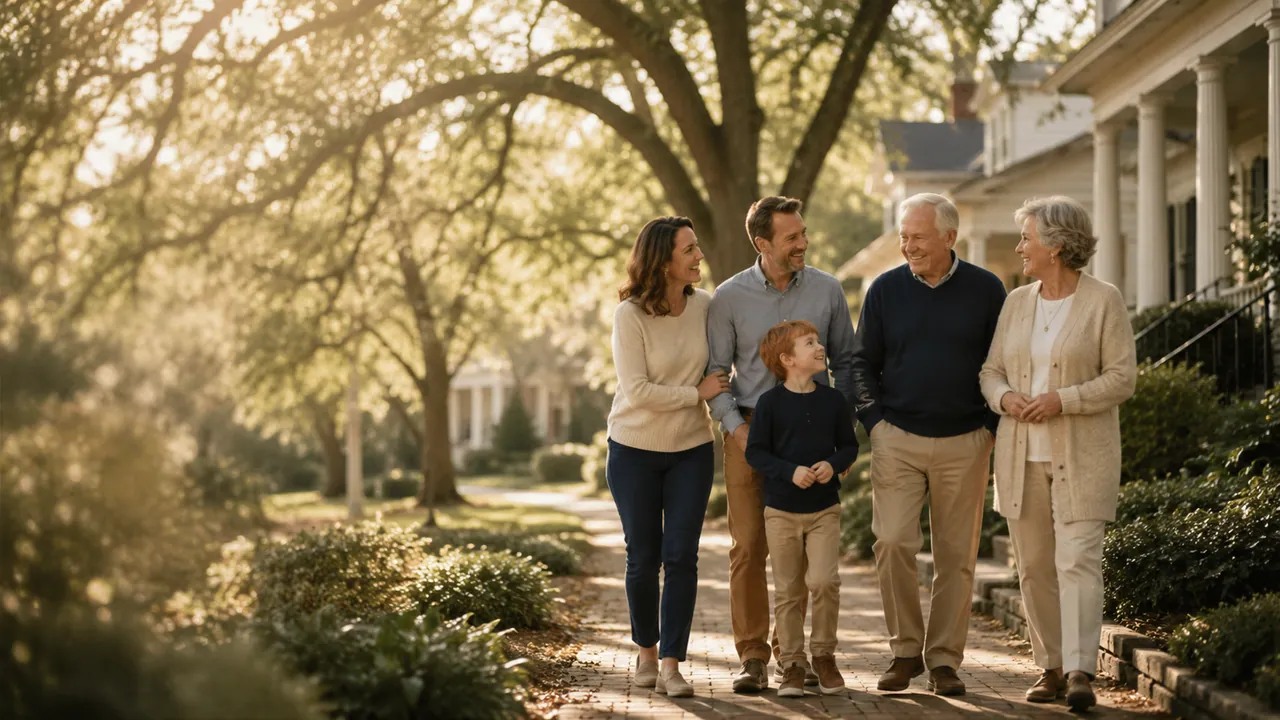
Full-bleed navy with gold ink, and full-bleed photography where the format has room. For rooms, not envelopes. A full-bleed photo under a navy scrim. The family stays visible on the right.
Registration banner · 1200 × 628
The image that appears when the registration link is shared, and the banner on the registration form. It is often seen at thumbnail size, so the date line is never smaller than 22px.
Wills, trusts, and what your family needs.
12:00 pm ET · Live on Zoom
Type only. The gold rule separates the promise from the logistics.
Wills, trusts, and what your family needs.
12:00 pm ET · Live on Zoom
The same navy event band as the hero, so the two read as one campaign.
Wills, trusts, and what your family needs.
12:00 pm ET · Live on Zoom
Built for busy feeds. Copy stays on the dark side of the scrim.
Webinar title slide · 1920 × 1080
On screen while attendees join and during the welcome. It has no button, because everyone watching has already registered. It shows the host and the three things people will learn.
Wills, trusts, and what your family needs.
A 45-minute plain-language session with a Pierce estate planning attorney, followed by open questions.
Live on Zoom
Wills, trusts, and what your family needs.
- When a will is enough, and when it isn't
- How a trust avoids probate
- Choosing the people who act for you
Wills, trusts, and what your family needs.
- When a will is enough, and when it isn't
- How a trust avoids probate
- Choosing the people who act for you
Event email header · 1200 × 400
The image at the top of the invitation and reminder emails, shown at 600 × 200. The button is not in the image. It is a live HTML button below the header, built from the email templates, so it still works when images are blocked.
Wills, trusts, and what your family needs.
A date stamp on the right answers “when?” before the reader scrolls.
Wills, trusts, and what your family needs.
The navy event band again, now carrying the full date line.
Wills, trusts, and what your family needs.
For the final reminder, when the email needs to stand out in the inbox.
Specification
| Asset | Size | Safe area | File | Button |
|---|---|---|---|---|
| Webinar page hero | 1920 × 600 | 80px, plus 240px crop bands left and right | JPG, under 400 KB | Register free |
| Registration banner | 1200 × 628 | 60px | JPG or PNG | Register free |
| Webinar title slide | 1920 × 1080 | 96px | PNG | None. Shows the host instead. |
| Event email header | 1200 × 400 | 48px | JPG at 2×, displayed 600 × 200 | None in the image. Live HTML button below it. |
Rules
| Rule | Why |
|---|---|
| Date, time, and time zone are always visible | Write the weekday, the date, and the time with its zone: “Thursday, November 12 · 12:00 pm ET”. People in other time zones register too, and a missing zone is the most common reason they miss the session. |
| One call to action | “Register free”, everywhere, linking to piercelaw.com/webinar. Do not add a second button such as “Learn more” or “Share”. |
| Same headline everywhere | “Wills, trusts, and what your family needs.” on every asset, word for word, from the shared campaign copy. Only the short version “Wills vs. trusts, explained.” may replace it, and only where space runs out. |
| Say where it happens | “Live on Zoom” sits next to the date on every asset that carries the date. |
| Two campaign photos | Wide frames use the table photo, whose three people fill the frame edge to edge. Narrow frames and Bold use the sidewalk photo, where the family stands on the right. In Bold the photo starts a third of the way in, under the solid end of the navy scrim, so the copy never crosses a face. |
| Logo | Full PLG lockup. Colour on ivory or white, yellow on navy or under a scrim. |
webinar record in src/lib/campaign-content.json, and every size from DIGITAL in src/lib/canvas-templates.ts. Change the date there and every template on this page changes with it.